
Betting and Casino on Your Phone
There are real apps here, not a bookmark dressed up as one. BetAhoy publishes native builds for iPhone and Android, and the download icons sit next to the logo at the top of every page on the site.
One account covers everything. The login you use in a browser works in the app, the balance is the same, and a bet placed on your phone shows up on the desktop site a second later.
What You Get in the App
The app is the full site rather than a cut down version of it.
On the betting side you get pre match and in play markets, bet builder for combining outcomes inside one match, and cash out where the market supports it. Racing streams work here too, so you can watch a UK or Irish meeting on the phone with a verified account and no qualifying bet.
The casino travels across intact: slots, the Ahoy Me Hearties selection, crash and instant win games, and the live dealer floor with roulette, blackjack and the game shows.
Everything around the games is there as well. The cashier handles deposits and withdrawals, promo codes go in under Account and My Bonuses, and live chat opens from inside the app rather than sending you back to a browser.
Tournaments and the Promotions page sit in the menu as well, so a leaderboard you joined on the desktop site keeps counting while you play on the phone.
Because you stay logged in, the practical difference is speed: an in play price you spot on the sofa takes two taps instead of a login screen.
Full sportsbook
Pre match and in play markets, bet builder and cash out.
Casino and live casino
The same lobby and the same live dealer floor as the desktop site.
Cashier
Deposits and withdrawals from the phone, with the same methods.
Promotions
Promo codes and offers under Account and My Bonuses.
How to Install the App on iPhone
Four steps and about a minute, assuming you are already signed in to the App Store.
The listing is published under the operator’s own name. If you would rather search the store directly than tap through from the site, the BetAhoy app sits at id6760701842.
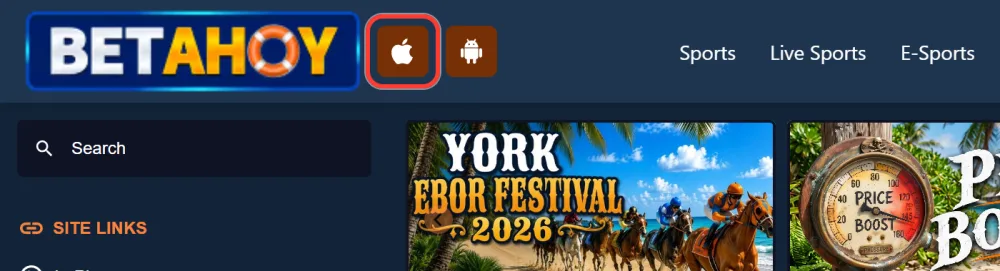
Tap the Apple icon next to the BetAhoy logo
The Apple and Android download icons sit at the top of every page on the site. Tapping the Apple one opens the BetAhoy listing in the App Store.
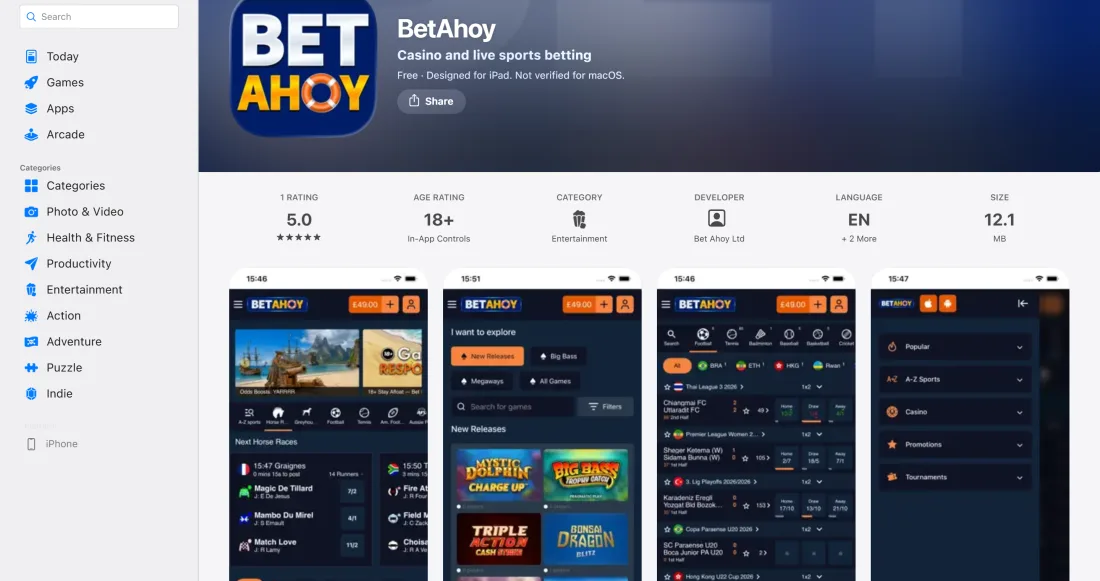
Open the BetAhoy page in the App Store
Check that the developer is BetAhoy before you install anything, the same way you would with a banking app.
Tap Get and confirm the install
Confirm with Face ID, Touch ID or your Apple ID password. The download starts immediately.
Open the app and log in
Sign in with your existing details, or register from the app if you do not have an account yet.
How to Install the App on Android
The same four steps on Android, through Google Play. The package is com.betahoy.android, and installing from the official store is the only route you need: there is no reason to look for an apk on a third party site, and doing so is how people end up with something that is not the operator’s app.
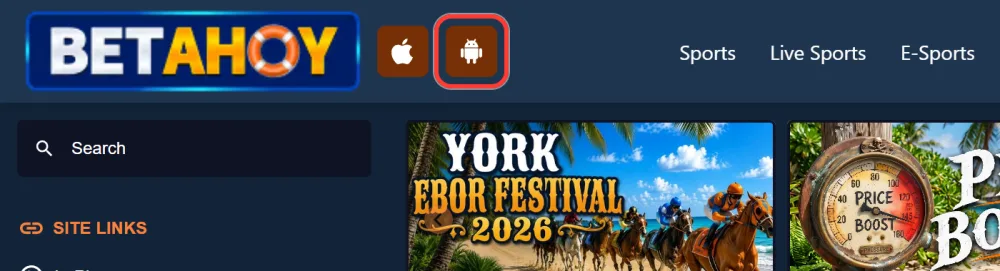
Tap the Android icon next to the BetAhoy logo
The Android icon sits next to the Apple one at the top of the site and opens the listing on Google Play.
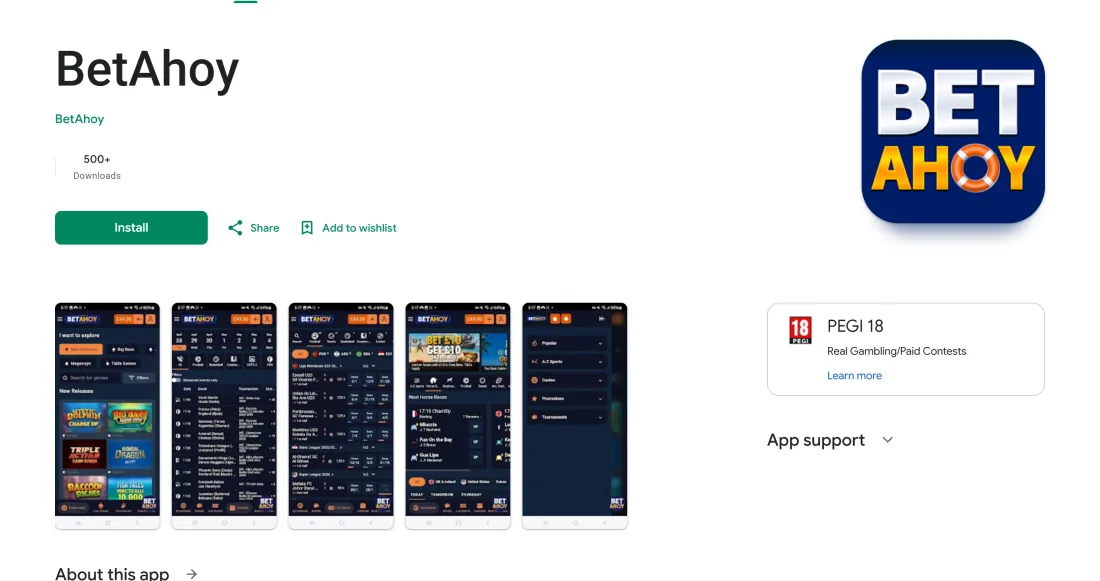
Open BetAhoy on Google Play
The package name is com.betahoy.android. Confirm it matches before installing.
Tap Install and wait for the download
Google Play handles the install. Keep the phone on wifi if the connection is patchy.
Open the app and log in
Sign in with your existing details, or register from the app if you do not have an account yet.
First Login and Your Welcome Offer
The first thing the app asks for is a login, and it is the same one you use on the site. There is no separate app registration and no second balance to fund.
New customers can sign up from inside the app, or create your account in a browser first, whichever is in front of you. Either way it is the same three step form.
Once you are in, promo codes go under Account and then My Bonuses: ALLABOARD10 for the sports free bets, BASS100 for the casino spins. Claiming from the app makes no difference to the terms.
One thing to do early rather than late: complete identity and address verification. It is required before a first withdrawal, and getting it done while you are waiting for a match to start beats doing it on the day you want your money out.
If the App Does Not Install
Installs fail for ordinary reasons far more often than for anything to do with the operator. Work through these before assuming something is broken.
Check free storage first, since a part downloaded app that runs out of space fails silently. Then check whether your phone is due a system update, because stores refuse installs on unsupported versions. If both are fine, close and reopen the App Store or Google Play, or restart the phone: a stuck store queue is a common culprit.
Switching between wifi and mobile data resolves a surprising number of stalled downloads.
An app that installs but refuses to open is usually a partial download rather than a fault with the app itself. Delete it and install again from the store before doing anything else.
If none of that works, the mobile site in your browser does everything the app does in the meantime, and live chat and email support can look at the account itself.
Mobile Site or App
The operator supports desktop, the mobile site and the iOS and Android apps, so this is a preference rather than a compromise.
The app wins when you play regularly: you stay logged in, it opens straight into your markets, and it is the format built for a phone. The mobile site wins when you are on someone else’s device, when storage is tight, or when you would rather not have a betting app on your home screen at all. Whichever you use, the account, the offers and the verification status are identical, so switching costs you nothing.
| Format | Best for |
|---|---|
| iOS app | Regular play on iPhone, with the fastest route back into your account |
| Android app | Regular play on Android, installed from Google Play |
| Mobile site | Occasional bets, borrowed devices, or keeping your phone storage free |
App FAQ
The questions that come up most often about the mobile apps.
Play Responsibly
A betting app in your pocket makes play easier, which cuts both ways. BetAhoy is an 18+ site and verifies age before any payout.
The same controls are available in the app as on the site: deposit limits, time outs and self exclusion, all in the responsible gambling section of your account. Setting a limit on the app is the single most useful thing you can do the day you install it.
GamCare and GambleAware provide free confidential help, and GamStop blocks access to every UK licensed operator at once.